Administrative Assistant Resume
Explore Administrative Assistant Resume with ResumeBuild. Use this resume example as a reference for your own experience, skills, and qualifications.





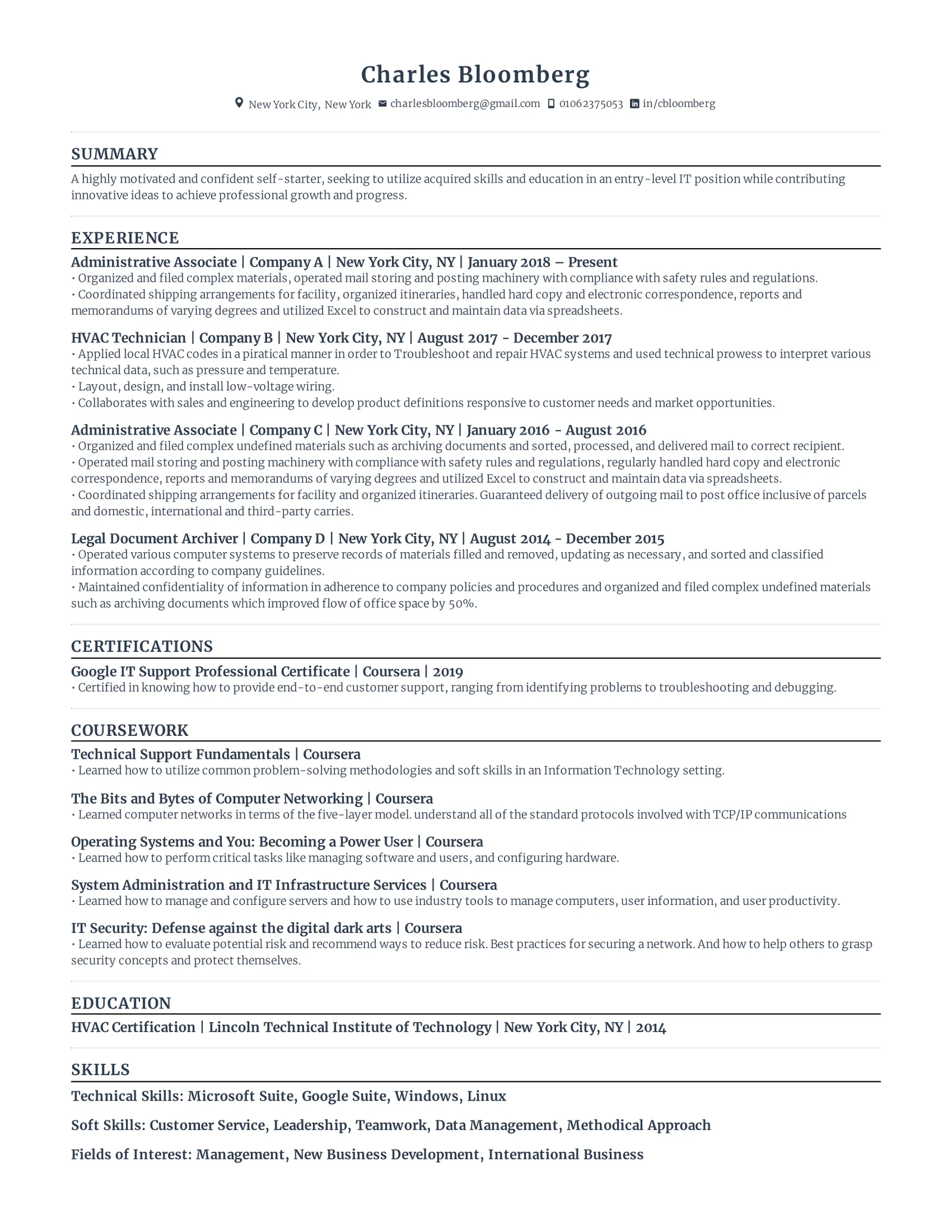
Below are two complete administrative assistant resumes. One is for someone with about two years of front desk and office work. The other is for an assistant who supports senior executives. After the samples, each section of the resume is explained with bullet examples you can adapt. The people, employers and numbers in every example are fictional.
Start from the entry-level sample if most of your experience is reception, office assistant or part-time work. Start from the executive support sample if you manage calendars, travel and expenses for directors or C-level leaders.
Administrative assistant resume examples
Entry-level administrative assistant resume
Build your own administrative assistant resume with ResumeBuild.
Administrative Assistant
Summary
Administrative assistant with two years of front desk and office support experience in an insurance agency and a dental practice. Schedules client appointments in Outlook, enters policy and patient data at 70 wpm, and maintains paper and digital client files. Microsoft Office Specialist certified in Excel.
Experience
Administrative Assistant | Hartwell Insurance Agency, Columbus, OH | March 2025 – Present
- Schedule 25–30 client appointments a week for two licensed agents in Outlook and send confirmation emails the day before each meeting
- Enter new policy, renewal and claim details into the agency management system, checking each record against the signed application before saving
- Scanned and indexed about 4,000 paper client files into the shared drive by last name and policy year, so agents can open a file without asking the front desk
- Track office supply stock in an Excel sheet and place monthly orders within a $350 budget
- Answer the main phone line and route calls, posting messages in a shared Teams channel when agents are with clients
Front Desk Receptionist | Lakeview Family Dental, Columbus, OH | June 2024 – February 2025
- Checked in 35–45 patients a day and updated contact and insurance details before each visit
- Booked and rescheduled appointments for three dentists and two hygienists, filling same-day cancellations from a waitlist
- Made confirmation calls two days before each appointment and logged no-shows for the office manager's weekly review
Education
Associate of Applied Science, Office Administration | Franklin Valley Community College, Columbus, OH | May 2024
Relevant coursework: Business Communication, Records Management, Spreadsheet Applications
Certifications
Microsoft Office Specialist: Excel Associate | 2024
Skills
Microsoft 365 (Outlook, Word, Excel, Teams) · Google Workspace · Zoom · Typing: 70 wpm · Data entry · Appointment scheduling · Multi-line phones · Paper and digital filing
Danielle lists her experience before her education because two jobs of office work are stronger evidence than her degree. If you have less than a year of work history, move education above experience and keep the relevant coursework line.
Her typing speed appears in both the summary and the skills list because her current job is heavy on data entry. The scanning bullet also says why the project mattered to the agents, which is more useful than "organized files."
Experienced executive support resume
Build your own administrative assistant resume with ResumeBuild.
Executive Assistant
Summary
Executive assistant with nine years of administrative experience, including more than four years supporting the CFO and two vice presidents at a 450-person logistics company. Schedules about 45 meetings a week across three time zones, books travel and processes expenses in Concur, and prepares quarterly board packets. Renegotiated office vendor contracts for $18,400 in annual savings. Certified Administrative Professional (CAP).
Experience
Northgate Logistics, Denver, CO
Executive Assistant to the Chief Financial Officer | March 2022 – Present
- Manage Outlook calendars for the CFO, VP of Finance and VP of Procurement, scheduling about 45 meetings a week across Mountain, Central and Eastern time and holding a weekly 20-minute calendar review with each executive
- Book an average of six trips a month in Concur, including two international supplier visits each quarter, and send each traveler a one-page itinerary with confirmations and local contacts
- Process expense reports for all three executives in Concur, submitting each within five business days of the trip with every receipt attached
- Assemble quarterly board packets from six department heads' reports and post the final version to the board portal two days before each meeting
- Renegotiated catering and office supply contracts after comparing quotes from four vendors, saving $18,400 a year
- Set up Zoom webinars for monthly finance all-hands meetings of about 120 people and manage the finance team's Slack announcement channel
Administrative Assistant, Finance Department | June 2019 – February 2022
- Supported a 14-person finance team with scheduling, meeting notes, purchase requests and new-hire setup
- Reorganized the department's shared drive into folders by fiscal year and vendor, with a file naming convention later adopted by the accounts payable team
- Coordinated equipment, system access and first-week schedules for 11 new hires
- Promoted to executive assistant after covering the CFO's previous assistant during a three-month leave
Office Assistant | Kessler & Grant CPA, Denver, CO | August 2017 – May 2019
- Entered vendor bills and bank transactions in QuickBooks Online for about 40 small-business clients, flagging mismatches for the staff accountant
- Scanned, labeled and filed client tax documents and kept the firm's seven-year retention log current
- Greeted clients and managed the reception phone line during the January–April filing season
Education
Bachelor of Arts, Communication | Front Range State University, Fort Collins, CO | 2017
Certifications
Certified Administrative Professional (CAP), International Association of Administrative Professionals | 2023
Skills
SAP Concur · Microsoft 365 (Outlook, Excel, PowerPoint, Teams, SharePoint) · QuickBooks Online · Zoom · Slack · Executive calendar management · Domestic and international travel · Board meeting preparation · Vendor negotiation · Confidential records
Andre lists both Northgate jobs under one company heading, so the promotion is visible at a glance. The last bullet of the earlier role explains why he was promoted, which tells an employer more than the new title alone.
His summary names the titles of the people he supports. "Supported the CFO and two vice presidents" sets the level of the job in a way "supported senior leadership" does not.
Resume sections and layout
Most administrative assistant resumes use these sections in this order:
- Header with your name, target job title and contact details
- Professional summary
- Work experience, most recent job first
- Skills
- Education and certifications
Keep the resume to one page if you have less than about ten years of experience. Two pages are reasonable for a long executive support career, as long as the second page holds relevant work rather than old duties repeated. A single-column layout with standard section names is the safest choice, because some application systems misread text boxes, tables and graphics.
Header and job title
Put your name on the first line, then the job title you are applying for, such as "Administrative Assistant" or "Executive Assistant." Use the posting's title when it honestly describes your work.
Below that, add your city and state, phone number, a professional email address and your LinkedIn URL. A full street address is not needed.
Professional summary
A summary of two to four sentences tells the reader your level before they reach your job history. Include:
- How many years of administrative work you have, and in what setting
- Who you support, by title or team size
- The tools you use most
- One concrete result or responsibility that sets you apart
Leave out descriptions such as "detail-oriented team player." The bullets below your summary need to prove those qualities, so the summary should use the space for facts.
Entry-level summary: Recent graduate of the office administration program at Franklin Valley Community College with a six-month internship in the city parks department office. Scheduled facility bookings in Google Calendar, entered permit applications into the city database and answered public inquiries by phone and email. Types 65 wpm and uses Microsoft 365 and Google Workspace daily.
Experienced summary: Administrative assistant with six years of support for a 60-person nonprofit, reporting to the executive director and the operations manager. Coordinates the office calendar, board meeting logistics and donor event travel, and manages supply and facilities vendors. Moved recurring orders to a single supplier in 2025, cutting supply costs by about 15%. Proficient in Microsoft 365, QuickBooks Online and Zoom.
Work experience
List each job with your title, employer, city and dates, then three to six bullets. Start each bullet with a verb that names the action, such as scheduled, booked, entered, reconciled, filed, negotiated or coordinated. Then say who the work was for, which tool you used, and how much of it there was.
Match your bullets to the duties in the posting. The groups below cover the duties most administrative assistant postings ask about.
Calendar and travel management
Say whose calendar you managed and how busy it was. For travel, name the booking tool and the type of trips, since international travel and multi-stop trips take more planning than a single domestic flight.
- Scheduled 30 or more internal and client meetings a week for a four-person sales leadership team in Google Calendar, reserving a daily 15-minute slot to settle conflicts before invitations went out
- Booked 8–10 domestic and international trips a month in Concur for three directors, building one-page itineraries with flight, hotel, ground transport and meeting addresses
Office operations
Office operations covers the work that keeps a workplace running: opening procedures, mail, meeting rooms, equipment and new-hire setup. Give the size of the office so the reader can judge the scope.
- Ran front-office operations for a 40-person architecture firm, including opening and closing the office, sorting mail and deliveries, and keeping the conference room schedule current in Microsoft Teams
- Coordinated desk setup, building access and laptop requests for 12 new hires in 2025, sending each person a first-day schedule on Slack the week before they started
Data entry accuracy
Employers want to know that your data is right, not only that you type fast. Describe the volume, the system and the check you used to catch errors.
- Entered 150–200 vendor invoices a month in QuickBooks Online, matching each to its purchase order before posting, with two errors found in six months of month-end reviews
- Typed and formatted contracts, memos and meeting minutes at 75 wpm and proofread every client-facing document against its source before sending
Records management
Records work includes filing systems, scanning projects, access control and retention schedules. Mention confidential records when you handled them, such as personnel, financial or client files.
- Rebuilt the department's shared drive into folders by client and year with a standard naming format, so staff could find past contracts without asking the admin team
- Scanned and indexed 6,000 paper personnel files into SharePoint over four months and applied the company's seven-year retention schedule to flag records for secure shredding
Vendor coordination
Name the vendor categories you handled, such as office supplies, catering, cleaning or IT support. If you compared quotes or changed suppliers, give the saving.
- Compared quotes from three office supply vendors and moved recurring orders to the lowest bidder, saving about $2,800 a year on paper, toner and break room stock
- Served as the main contact for cleaning, IT support and catering vendors, logging each service request and following up until it was resolved
How to quantify administrative support work
Support work produces numbers even when nobody reports them: people supported, meetings booked, trips planned, invoices entered and money saved. The table pairs common vague bullets with specific versions.
| What to count | Vague | Specific |
|---|---|---|
| Executives supported | Supported executives | Supported the CFO and two vice presidents |
| Meetings scheduled per week | Managed calendars | Scheduled about 45 meetings a week across three time zones |
| Cost savings on supplies | Ordered office supplies | Moved recurring supply orders to a lower-cost vendor, saving about $2,800 a year |
| Cost savings on travel | Booked travel | Booked flights at least three weeks ahead under the travel policy, cutting average airfare by about $120 per trip |
| Processing time | Processed expense reports | Submitted executive expense reports within five business days of each trip |
| Volume and accuracy | Did data entry | Entered 150–200 invoices a month in QuickBooks Online, each matched to a purchase order |
To find your numbers, look at records you already have:
- Count a typical week of meetings in your calendar or your executive's calendar
- Check your Concur or expense system history for trips booked and reports submitted
- Compare old and new supplier invoices to work out a saving
- Read past performance reviews for figures your manager already recorded
Use "about" or a range when you are estimating, and only use a number you could explain in an interview. If your employer treats budgets or executive names as confidential, give the title and a rounded figure instead, such as "a six-figure department budget."
Skills section
List the tools and skills the posting asks for that you can actually use, then make sure each one also appears in a work experience bullet. A skill backed by a bullet is far more convincing than one that appears only in a list. For general advice on choosing and grouping skills, see this guide to resume skills.
Microsoft 365 (Outlook, Word, Excel, PowerPoint, Teams): Name the individual apps instead of writing "MS Office." Show your Excel level with a task, such as building a tracker with pivot tables or lookup formulas.
Google Workspace (Gmail, Calendar, Drive, Docs, Sheets): List it if your office runs on Google. Shared calendars and Drive folder permissions are worth a bullet.
SAP Concur: Common in executive support postings. Say whether you used it for travel booking, expense reports or both, and give a monthly volume.
QuickBooks Online or QuickBooks Desktop: Name the version and the tasks, such as entering bills, creating invoices or matching bank transactions.
Zoom: Mention hosting or setting up webinars, managing breakout rooms or recording meetings, since scheduling a link is expected of everyone.
Slack: Useful for remote and hybrid teams. Show it with a task such as running an announcement channel or sending onboarding information.
Typing speed: Add it when it is strong or when the posting states a minimum. Use a recent timed-test result, written as "Typing: 70 wpm."
Calendar management: Show it with whose calendar, how many meetings and how many time zones.
Travel coordination: Show it with the number of travelers, trips per month and whether trips were domestic or international.
Data entry and proofreading: Show it with the system, the monthly volume and how you checked your work.
Records management: Show it with the type of records, the filing system or software, and any retention or confidentiality rules you followed.
Vendor and supply management: Show it with the vendor categories, your ordering budget and any savings.
If you are applying to a law office or medical practice, add the setting's own vocabulary, such as court filings and matters for legal work, or patient scheduling and insurance verification for healthcare.
Education and certifications
List the program, school, city and graduation year. A high school diploma is enough for many administrative assistant jobs, so list it if it is your highest level of education. If you have a degree, leave the high school line off.
Recent graduates can add a short line of relevant coursework, such as business communication, records management or spreadsheet applications. Experienced assistants can keep this section to one or two lines.
Include certifications you have earned, or ones in progress with an expected completion date. Two that appear often on administrative resumes are the Certified Administrative Professional (CAP) from the International Association of Administrative Professionals and Microsoft Office Specialist certifications.
Resume for career changers from retail or reception
Retail and reception jobs include a lot of administrative work: scheduling, phones, cash handling, inventory, record keeping and dealing with the public. The resume has to describe that work in office terms, with the same detail you would use for an admin job.
Keep your actual job titles. Change the bullets so they lead with the administrative part of the work.
Retail cashier, before: Worked the register and helped customers.
After: Processed 120 or more cash and card transactions per shift and balanced the drawer at closing, with no cash variances in my last six months.
Retail stock associate, before: Stocked shelves and did inventory.
After: Counted and logged weekly inventory for a 3,000-item store in the point-of-sale system and flagged low-stock items for the manager's reorder list.
Receptionist, before: Answered phones.
After: Answered a five-line phone system, routing about 80 calls a day to 12 staff members and recording messages in a shared Outlook log.
Receptionist, before: Greeted visitors and scheduled appointments.
After: Checked in 30–40 visitors a day, issued building badges and scheduled appointments for six consultants in Google Calendar, with reminder emails the day before.
Open your summary with the move you are making, for example: "Retail shift lead with three years of scheduling, cash reconciliation and inventory experience, moving into office administration." If you have taken a course in Excel or office procedures, list it under education.
Your cover letter is the place to explain why you are changing fields and which tasks you already do every day. For general advice on personalizing and organizing the letter, see these cover letter tips.
Common mistakes on administrative assistant resumes
- Writing "MS Office" or "computer skills." Name the apps and systems you use, such as Outlook, Excel, Concur and QuickBooks.
- Listing duties without scope. "Managed calendars" says nothing about level. Add whose calendars, how many meetings and which tool.
- Skills that never appear in your bullets. If Concur is in your skills list, at least one bullet should show you using it.
- A complex layout. Columns, text boxes, tables and icons can be read out of order by application systems. Use one column and plain section headings.
- Typos and inconsistent formatting. Accuracy is part of the job, so check spelling, date formats and punctuation before you send the file.
- Sending the same resume to every posting. Reorder bullets and adjust keywords to match each posting. This guide on how to tailor your resume explains how to pull keywords from a job description.
- Inflated numbers. Use figures you can explain. A rounded estimate you can defend is better than a precise number you cannot.